Runs locally
A program on one person’s computer, much like Power Automate Desktop. No server, no cloud account.
Data & requirements
One page for the team, IT and the data protection officer. The full technical description is available before a pilot.
A program on one person’s computer, much like Power Automate Desktop. No server, no cloud account.
No background updates and no data sent to the maker. Studio and the reports download nothing from the internet.
A per-user installer or a portable version. It installs no services, drivers or browser extensions.
Runs are deterministic. AI help with repairing a step is switched on deliberately, and IT can block it.
Data leaves the computer only in these cases:
| Where | Why | When |
|---|---|---|
| The app the robot works in (e.g. the ERP) | the same as a person: pages in the browser | during a run |
| An independent read-back address named by the company (e.g. an internal API) | confirming the result is in the system | during a run |
| An AI model at an address set by the company | repairing a step after a screen changed: the model gets the text of the current screen | only with AI help switched on |
| 127.0.0.1 on the same computer | Studio: a page only for this computer, with a one-time key | while Studio runs |
HTTPS is checked by Windows, just like in Edge, so corporate proxy certificates work without exceptions.
Screenshots older than a set number of days can be removed automatically (IT policy). Results and reports stay.
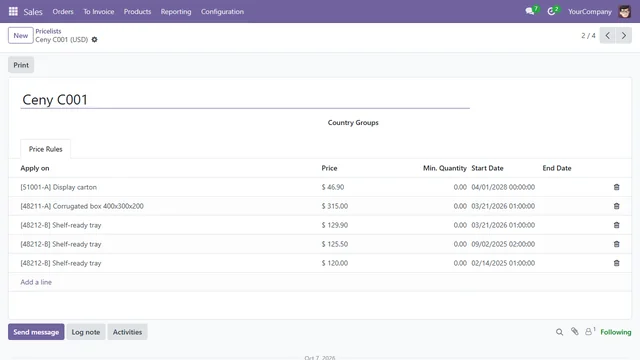
For processes with personal or confidential data. Screenshots keep the layout (menus, tabs, column headers, buttons), so the guide still shows where to click. Values in fields, table contents, record titles, breadcrumbs and messages are covered. A model built from such recordings keeps no values as examples.
A limit: free text elsewhere on the screen may stay visible. Such screens are better recorded without screenshots.
 plain screenshotprivate mode
A per-user installer without administrator rights, or a portable version (zip).
Microsoft Edge, Google Chrome or the browser bundled with Maptelo.
ERP, CRM, a portal. A person signs in once, SSO included, in the robot’s own profile.
Excel (.xlsx) or CSV: one row per run of the process. The original stays unchanged.
Usually an internal API of the system that shows whether the change is saved. We settle it during the pilot.
A copy of the system or made-up data to start with. Shadow mode compares the robot’s work with people’s without saving.
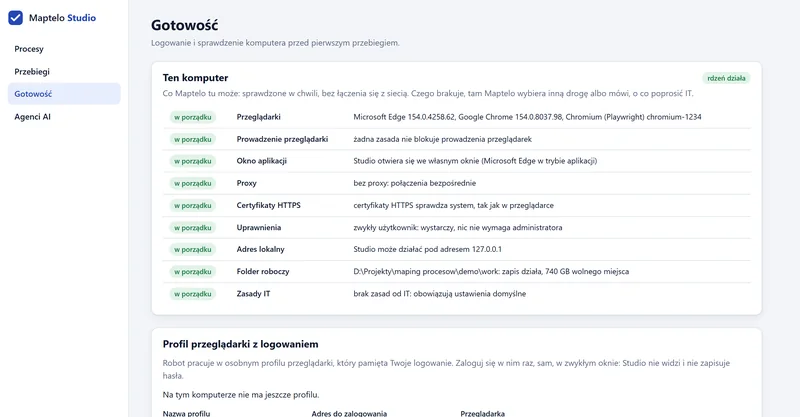
Maptelo Studio, the Readiness tab: a check of the computer without going online
One file in %ProgramData%\Maptelo restricts the program for every account on the computer. An unreadable file or a typo stops everything: runs don’t start and the diagnostics show the error with its place in the file.
# %ProgramData%\Maptelo\policy.yaml
ai:
  allowed: false
  # or: endpoint: https://ai.company.com/v1
applications:
  allowed_hosts:
    - erp.company.local
    - "*.company.com"
    - login.microsoftonline.com
browser:
  channel: msedge
evidence:
  keep_days: 90
# days: older run screenshots are removedEvery row ends with one of seven outcomes. Only the first one means “done”.
| Outcome | What it means | Retry |
|---|---|---|
| VERIFIED | Done and confirmed by an independent read. Also “already done”: the result was in the system, nothing written twice. | — |
| HALTED_SAFE | Stopped with certainty that nothing was saved: a dry run, an ambiguous element, a step for a person, a change waiting for acceptance. | once explained |
| REJECTED | Bad inputs: the row is rejected before the robot touches the screen. | no |
| BUSINESS_EXCEPTION | A known business exception, e.g. the product doesn’t exist. | goes to the report |
| NEEDS_RECONCILIATION | An uncertain save, e.g. an “OK” message the read-back doesn’t confirm. A person checks. | never blindly |
| SYSTEM_FAILURE | A technical failure before saving, e.g. the app doesn’t respond. | yes, with a breaker |
| COMPLETED_UNVERIFIED | The steps ran, but the process has no way to check the result. Not a success. | — |
Answers and the full technical description before a pilot, directly from the person who builds Maptelo: teodorowskikrzysztof@gmail.com