Demo
From a demonstration to a spreadsheet confirmed row by row
The whole process on one example: new customer prices go from a spreadsheet into a price list in Odoo. A demonstration, a process map, the robot, the results, shadow mode, a system upgrade and an AI agent.
Real runs on a test Odoo 18 with demo data
Polish narration · English subtitles below the picture
Chapters2:47
What the film shows
- 01
Showing the process
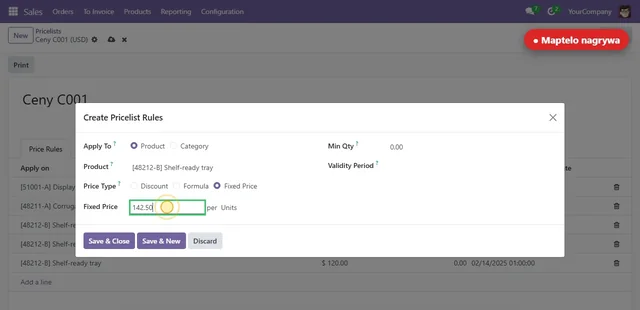
An employee adds a price to a customer’s price list, as always. Maptelo records the clicks, the values typed and the screens. The demonstration is repeated for another customer and for the first price in a list, so Maptelo can see what changes and what stays the same.
- 02
The model and the guide
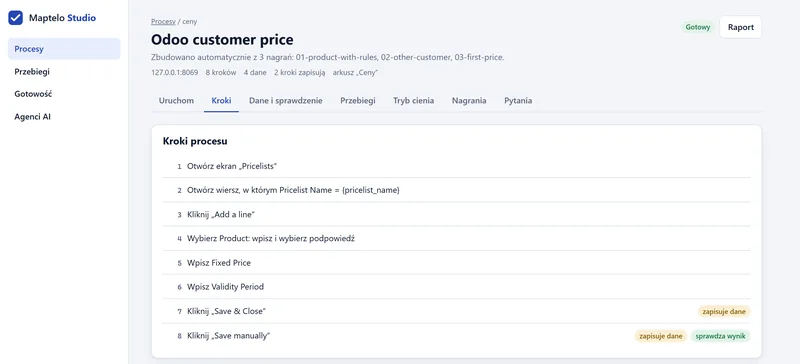
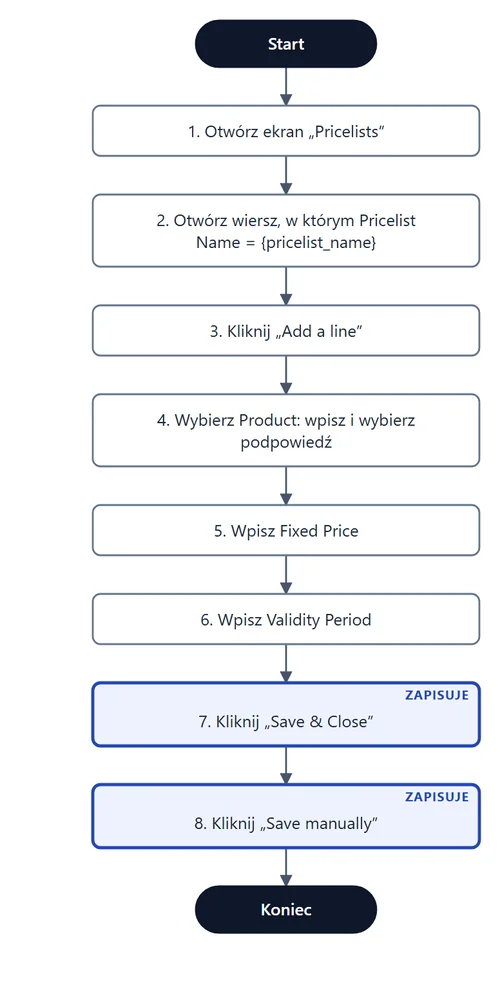
Three demonstrations become a process model: eight steps, four inputs from spreadsheet columns, two steps that save, and a way to check the result. The guide has a screenshot for every step, and the diagram can be pasted into a document.
- 03
The robot works through the sheet
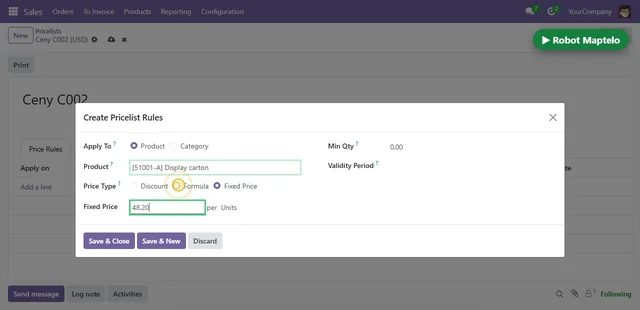
The robot gets a spreadsheet with five new prices and works through it row by row in the browser, like a person: it opens the price list, adds a line, enters the price and the date, and saves.
- 04
Results go back to the sheet
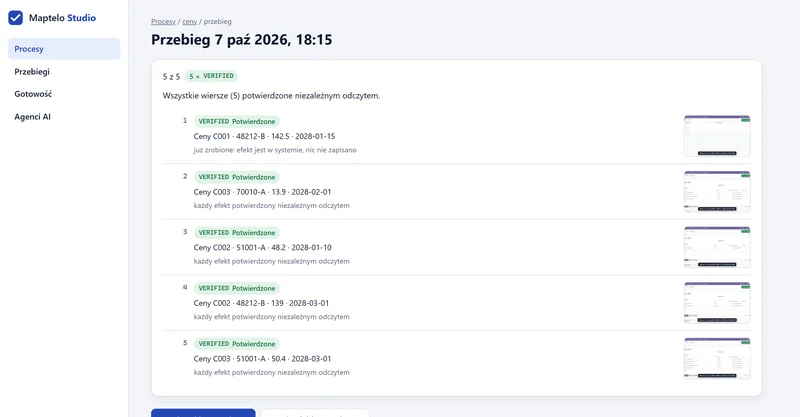
All five rows got VERIFIED. The first price was already in the system, so Maptelo did not write it a second time. A copy of the spreadsheet appears next to it, with a status and a note for every row.
- 05
Shadow mode
Before the robot starts saving, it can work alongside people. It goes through the spreadsheet without saving and, once people have finished, compares every row with the system.
Spreadsheet row In the system after people’s work Robot Ceny C001 · 51001-A · 46.90 done as in the spreadsheet same Ceny C003 · 48212-B · 131.50 a different price: 135.10 different Ceny C002 · 70010-A · 13.60 not done yet waiting Agreement: 1 of 2 compared rows. The difference: someone typed 135.10 instead of 131.50 from the spreadsheet. The robot saved nothing.
- 06
The Odoo 17 → 18 upgrade
After a system upgrade, screens and fields change. Maptelo looks for the same elements by what they are, not just by their words.
- New screen addresses and new fields: Maptelo found them itself, some with AI help.
- A different way of saving: it stopped without saving instead of guessing.
- One new demonstration on Odoo 18, and again 4 of 4 prices VERIFIED.
- 07
An AI agent through MCP
Every process can be a tool for an AI agent such as Claude. The agent provides the inputs, Maptelo does the process the way a person would and answers with the result. Only what a read-back confirmed counts as done.
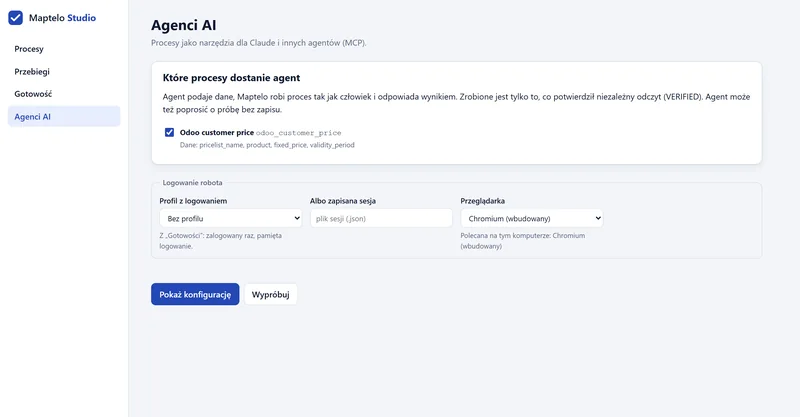
The answer to the agentVERIFIED
- tool
- odoo_customer_price
- inputs
- Ceny C003 · 48211-A · 309.00 from 2028-05-01
- read-back
- Odoo database: price 309.00, matches
- time
- 1.44 s
- 08
Private mode
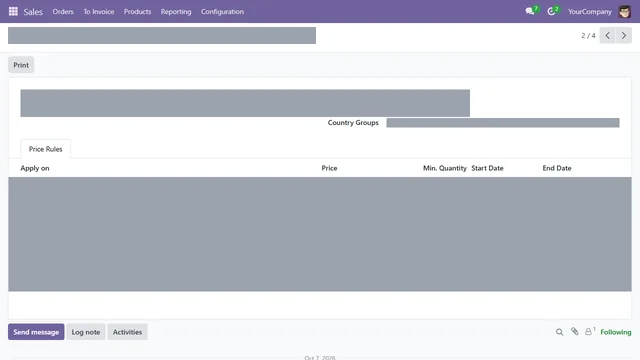
A recording in private mode covers the values in fields, the contents of tables, record titles and messages on screenshots. Menus, tabs and headers stay, so the guide still shows where to click.
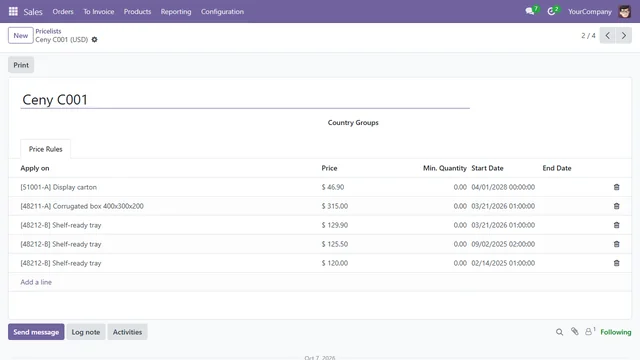 plain screenshotprivate mode
Want to see it on your own process?
A pilot starts with a conversation about one process. The robot saves nothing until you have seen the dry runs and shadow mode.